CASE STUDY • 5 MINUTE READ
Reducing reorder friction in Swiggy to under 10 seconds
TYPE
Personal Project
TOOLS USED
Figma, Claude
Swiggy serves 24.7 million weekly active users across India, making it one of the country's most habitual apps. Research backs this up: 79% of consumers are likely to reorder from a food delivery app if their previous experience was positive.
Users often have "ritual" orders - milk every morning, coffee at 4 PM or weekend biryani.
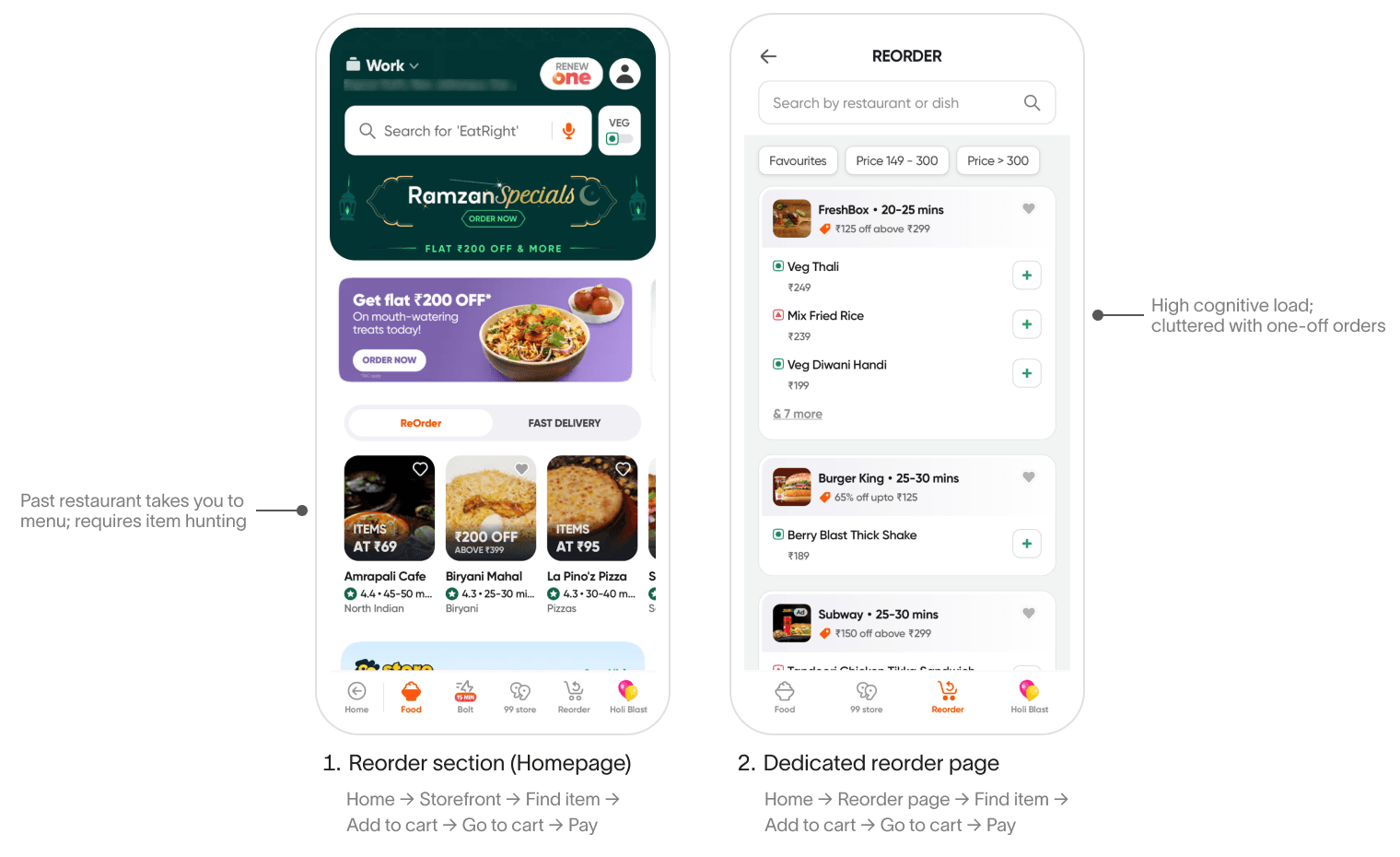
Swiggy's reorder flow is restaurant-centric, not item-centric. Despite users having 'ritual' orders, the current journey forces them through 4–5 taps and a full page transition into a chronological history of all past orders. This creates unnecessary cognitive load and makes a sub-10-second checkout impossible.
"When I open Swiggy already knowing what I want, I want to place my usual order immediately so I can get back to what I was doing without spending mental energy on food."
Reduce "Time to Checkout" by eliminating the need to search, visit a restaurant page, select an item, and go to the cart.
User is time-constrained → Remove the "Restaurant Page" transition.
User has already decided → Default to their last-used customizations (e.g., "less spicy," "no cutlery").
User is habit-driven → Use a "Quick Buy" section that is contextually aware (Breakfast items in the morning, Dinner at night).
Data Availability: Swiggy has historical data on user frequency, timing, and item preferences.
Predictive Intent: If a user opens the app at 8:00 AM, they are likely looking for breakfast; at 8:00 PM, it's dinner.
The 10-second goal: open app → tap Add → go to cart → under 10 sec
We do not assume the existing flow is wrong. It explores an alternative optimised for a specific, high-frequency user behaviour.
Progressive disclosure ensures we don't overwhelm the user with a full cart immediately, but the information is only one gesture away if they need it.
Staying on the homepage eliminates context switching, reducing both interaction cost and cognitive load.
Trust is preserved by keeping the full cart accessible — collapsed by default, but never hidden.
New user: To maintain a clutter-free experience, the 'Quick Buy' section is dynamically hidden until the user completes at least three orders. This ensures the prime real estate of the homepage is reserved for discovery until the user establishes a habit-driven profile.
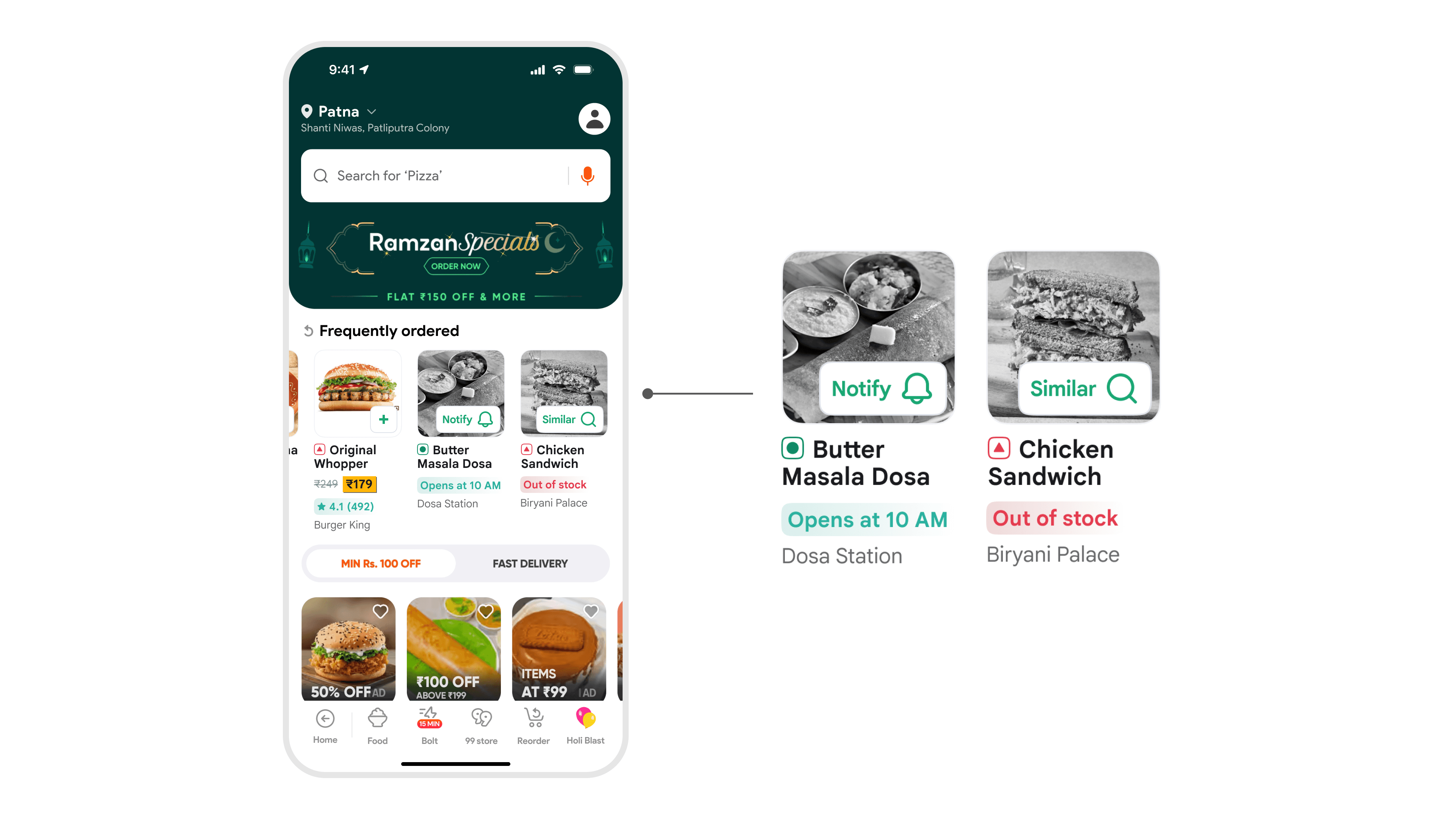
Restaurant closed: To prevent a dead-end journey, the 'Quick Buy' card displays the next available opening time and replaces the 'Add' button with a 'Notify Me' bell icon. This captures high-intent users and turning a missed order into a scheduled one.
Item out of stock: The item card is greyed out to signal unavailability, replacing the 'Add' button with a 'Find Similar' CTA. Tapping this triggers an automated search for the specific item name across other open restaurants.
This flow is optimised for single-item decisions (like a biryani or coffee) or pre-bundled orders (like combos or meal boxes).
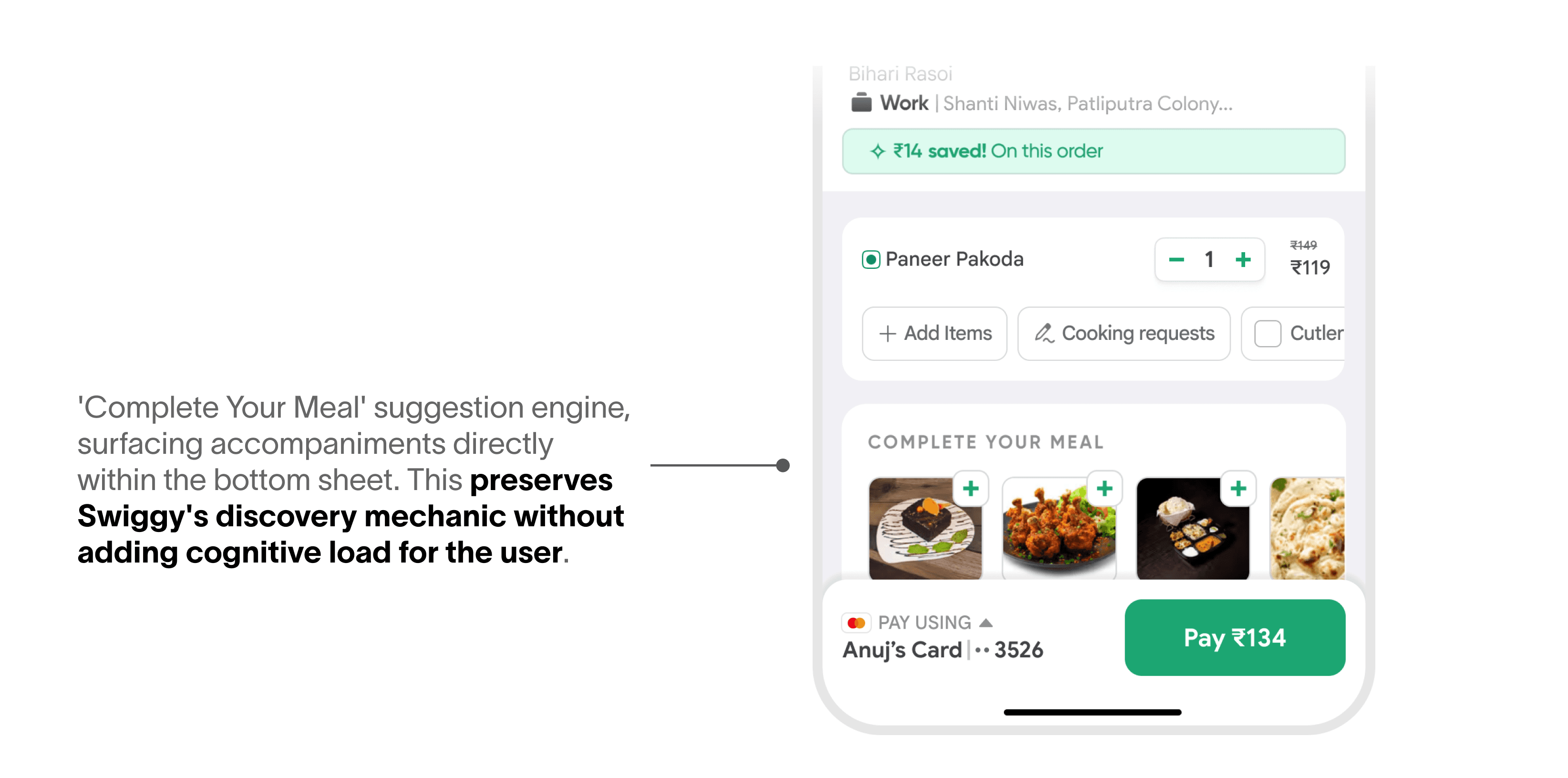
For combination orders — roti + sabzi, rice + curry — we defer to Swiggy's existing 'Complete Your Meal' suggestion engine, surfacing accompaniments within the bottom sheet so the user can add them before paying.
Reorder Time: Average time from app open to order confirmation for Quick Buy-initiated orders. Target: under 10 seconds. This is the core promise of the feature and the first thing to validate.
Quick Buy CTR: The percentage of users who see the Quick Buy section and tap Add. A low CTR signals poor personalisation or wrong placement.
Repeat Order Frequency: Whether users who engage with Quick Buy order more often week-over-week compared to a control group. This is the retention signal. It tells us if the feature is reinforcing the habit loop or just being used once.
Order cancellation rate: We must monitor for an increase in orders cancelled within the first 60 seconds. This ensures the 10-second speed isn't leading to user errors.
Average Order Value (AOV) Stability: Bypassing the full menu risks users missing add-ons. The 'Complete Your Meal' suggestions within the bottom sheet are expected to maintain or grow AOV compared to the traditional flow
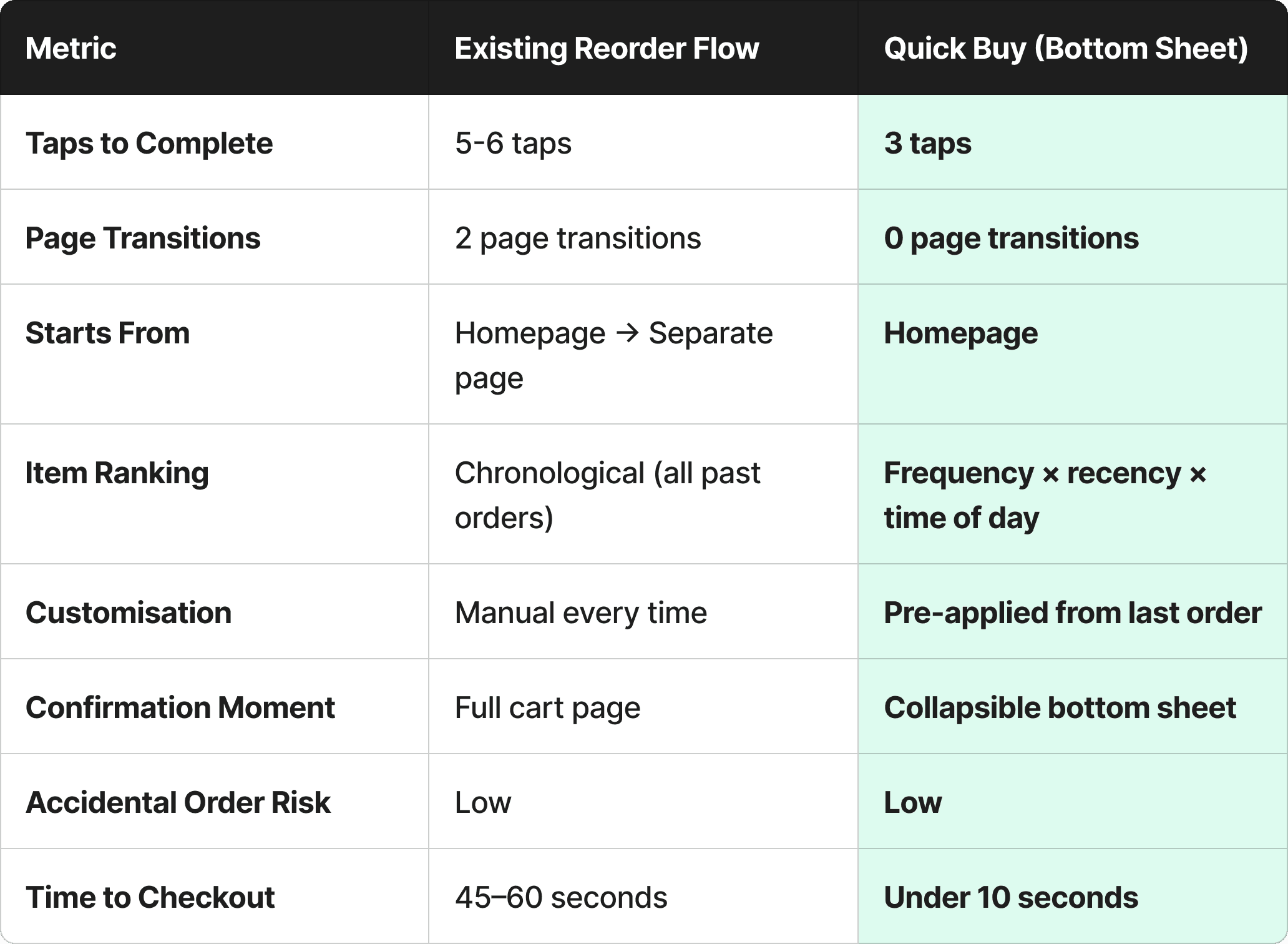
Comparison table
Reordering on Swiggy shouldn't feel like a task. For users who already know what they want, the app was getting in their own way.
Quick Buy is a focused, deliberate solution which adds a fast path for users who've already decided, without changing anything for users who haven't.
Thanks for reading!